How Bounds works
Bounds is a reading app that scrolls your text at the speed you choose.
By Bug City, the makers of Bounds. Updated .
Four steps
- Add something to read. Paste text, open a DRM-free EPUB, or save a web article by pasting its link or with the Send to Bounds bookmarklet.
- Pick a speed in words per minute. Bounds starts at 250, close to the average adult’s silent reading speed.
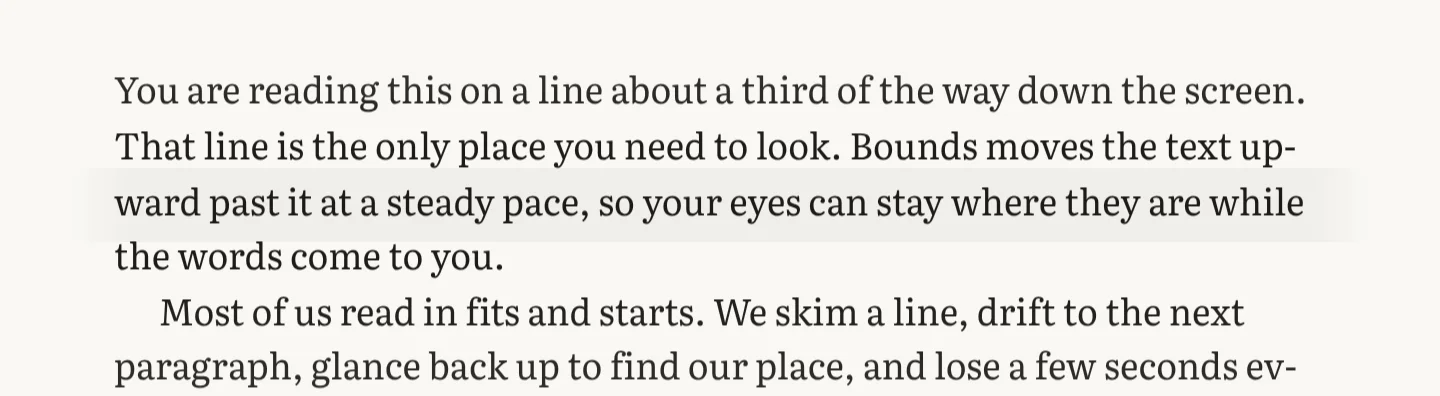
- Press play. The text moves up past a fixed reading line about a third of the way down the screen, so your eyes stay in one place while each line arrives.
- Pause with a tap or the space bar. When you start again Bounds backs up a line and eases back to speed. Rewind steps back about ten seconds of reading to the start of a sentence.
The reader
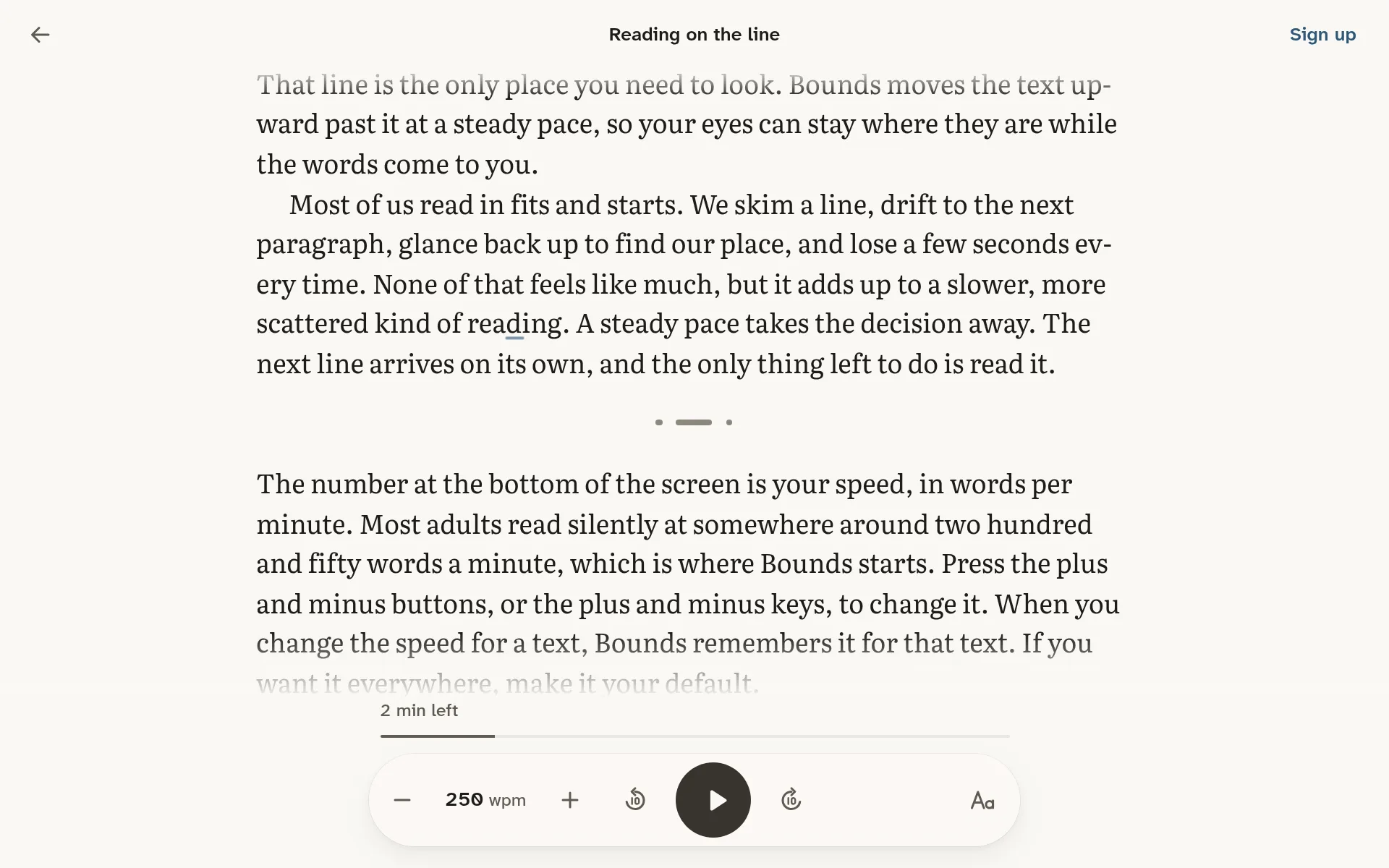
The bar at the bottom holds your speed in words a minute (tap it for a slider, or use the − and + buttons beside it on wider screens), rewind and forward ten seconds, play and pause, and Aa for text settings. Above it are the time left in the text and a progress line.
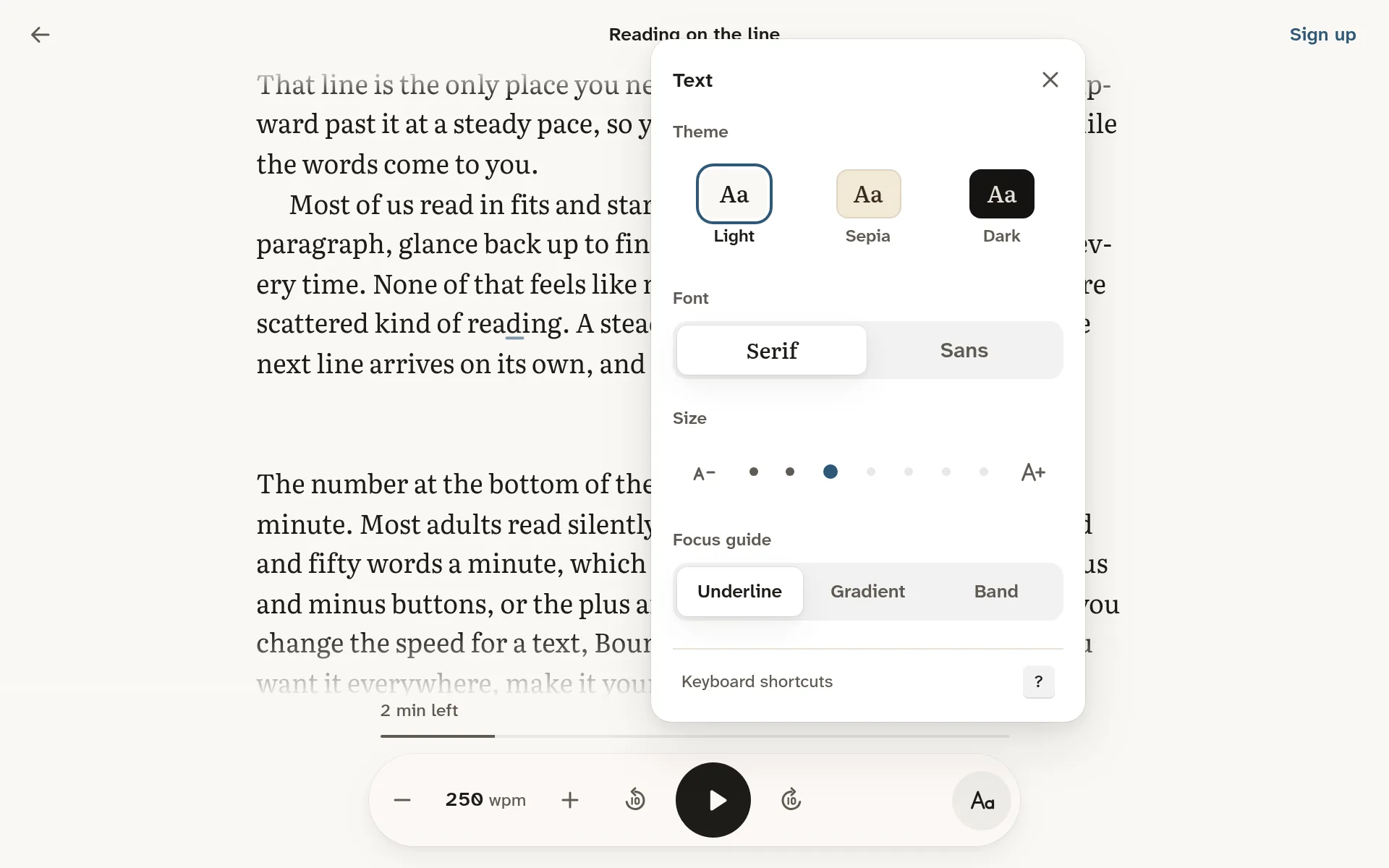
The Aa button opens the Text panel: light, sepia or dark theme, serif or sans-serif type, seven text sizes and the focus guide.
Three focus guides
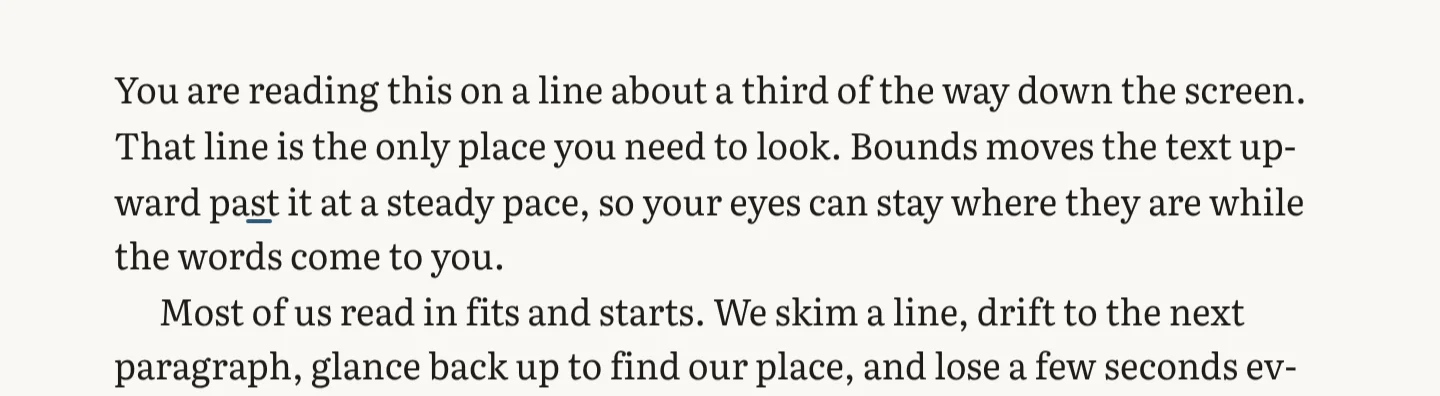
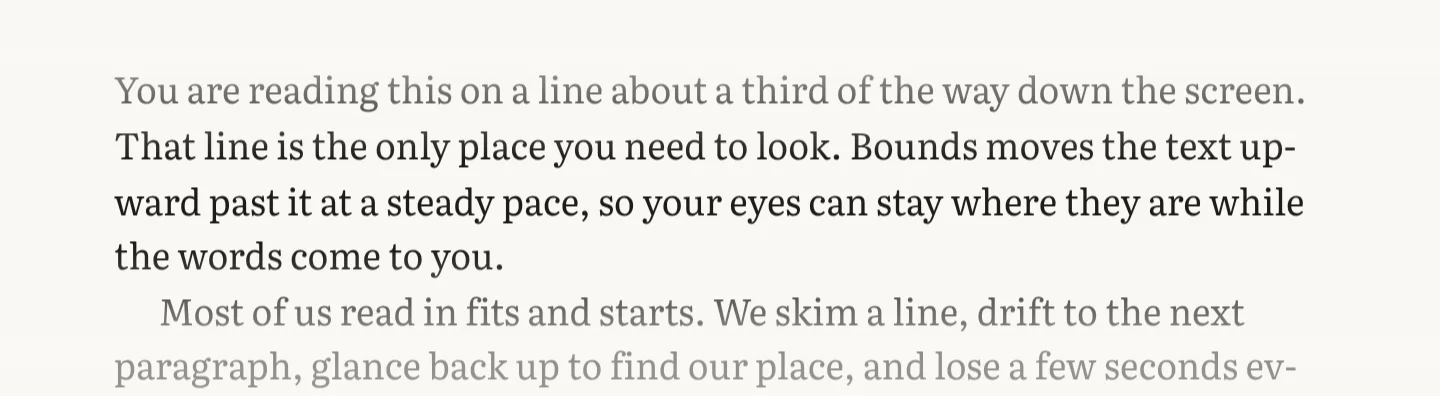
A focus guide marks the line to read. The underline is the default. The Text panel in the reader switches between them as you read. With an account, a guide you pick is kept for that book, and Settings sets the default for every book.
Your reading stats
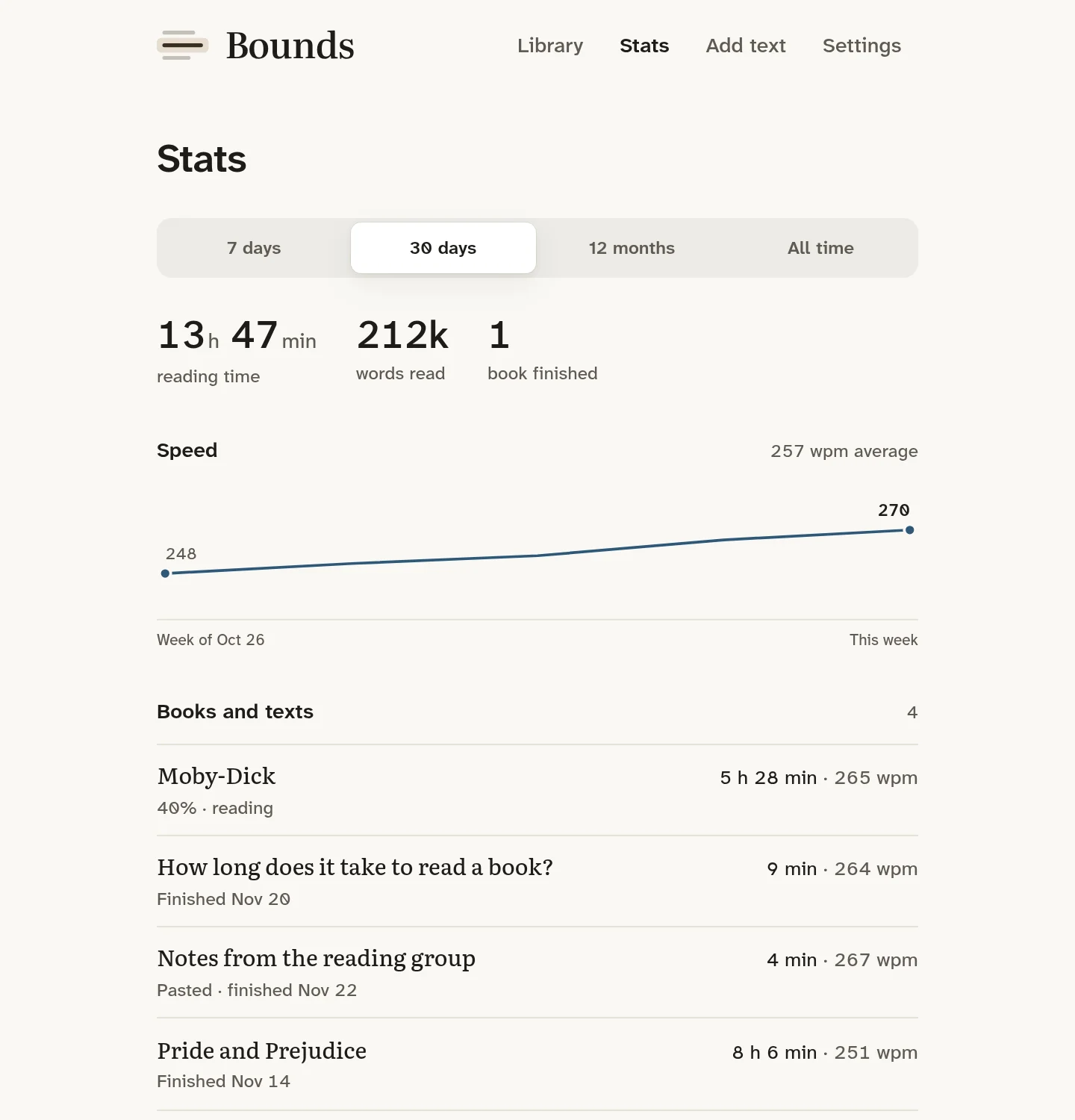
Stats need an account. The guest reader saves nothing, so it keeps no stats. The Stats page covers 7 days, 30 days, 12 months or all time, and opens on 30 days. It shows:
- Reading time, words read and books finished in the range you pick.
- Your average speed, which is words read divided by reading time, and a chart of it by week (7 and 30 days) or by month (12 months and all time).
- Every book and text you read in the range, most recently read first, with your time and speed for each and how far you’ve read or when you finished.
What counts
- Reading time counts only while Bounds is moving the text for you, not while it's paused.
- Books finished counts EPUB books. Pasted texts and saved articles are listed but not counted as books.
- Your average speed appears once you've read for at least 30 seconds.
Try it without an account
Start reading on the front page opens the text you pasted in the reader, with no account. Opened without pasted text, it shows a short sample, “Reading on the line”. The text stays in your browser, and the guest reader saves nothing.
Not sure what speed to pick? The reading speed test measures yours in words a minute and opens the reader at it. Bounds starts at 250; average reading speed explains why.