Bounds vs. Bionic Reading
Bionic Reading sets the start of every word in bold and leaves the pace to you. Bounds keeps your text as it is and scrolls it past a fixed reading line at a speed you set. Both are meant to keep your eyes on track. Here is what each does, where they overlap, where Bionic Reading wins and what the research has found.
By Bug City, the makers of Bounds. Bionic Reading checked on its own site on .
Bionic Reading
- How it shows text
- It sets the opening letters of each word in bold, so the eye jumps from one bold “fixation point” to the next and, in its words, “the brain completes the rest of the word”. Three settings, Fixation, Saccade and Opacity, change how much of each word is bold, how often and how strongly.
- Where it runs
- Apps for iPhone and iPad, Android, Mac and Windows, a web app and a Chrome extension, plus a Word add-in, a phone keyboard, and Bionic Reading fonts you install on a computer or on some e-readers (Kindle, Kobo, Tolino, PocketBook).
- What it opens
- Pasted text, websites, and DRM-free EPUB, DOCX, RTF and TXT files. No PDFs, and no DRM-protected books such as Kindle purchases.
- Also
- A reader that saves your place and bookmarks, a library synced across its apps, Send to Kindle, and downloads of converted text as EPUB, PDF or Word.
- Price
- A free version, Discover, with no account: text up to 2,000 characters and websites. Premium is $1.95 a month billed annually ($2.25 month to month) and Premium Plus $8.25 a month billed annually ($9.80 month to month), before VAT; app store prices are up to 30% higher. The fonts are a one-off $79, or $139 for both families.
- What it says
- “Bionic Reading® revises texts so that the most concise parts of words are highlighted. This guides the eye over the text and the brain remembers previously learned words more quickly.”
“Save precious time.” - Its own study
- Its own study page cites a 2022 pilot study by ZHAW Zurich University of Applied Sciences with 12 students: comprehension scores of 11.75 with Bionic Reading against 9.83 without, and 191.28 against 189.14 words a minute, which the page says is no significant difference: “we do not claim one”. It says Bionic Reading is not for reading faster but for keeping more of what you read.
- Who makes it
- Bionic Reading AG, Switzerland. The method was invented in 2009 by the Swiss typographic designer Renato Casutt; BRCG Casutt GmbH in Chur holds the rights, and the method is patented and a registered trademark.
Sources, read 24 November 2026: bionic-reading.com, bionic-reading.com/br-method, bionic-reading.com/br-apps, bionic-reading.com/br-pricing, bionic-reading.com/br-study, bionic-reading.com/faq.
Where they overlap
Both are reading tools for the web and your phone that take pasted text, web pages and DRM-free EPUB books and keep your place. Both mark text to guide the eye: Bionic Reading bolds the start of every word, Bounds marks the line to read with a focus guide. Neither shows one word at a time.
How Bounds is different
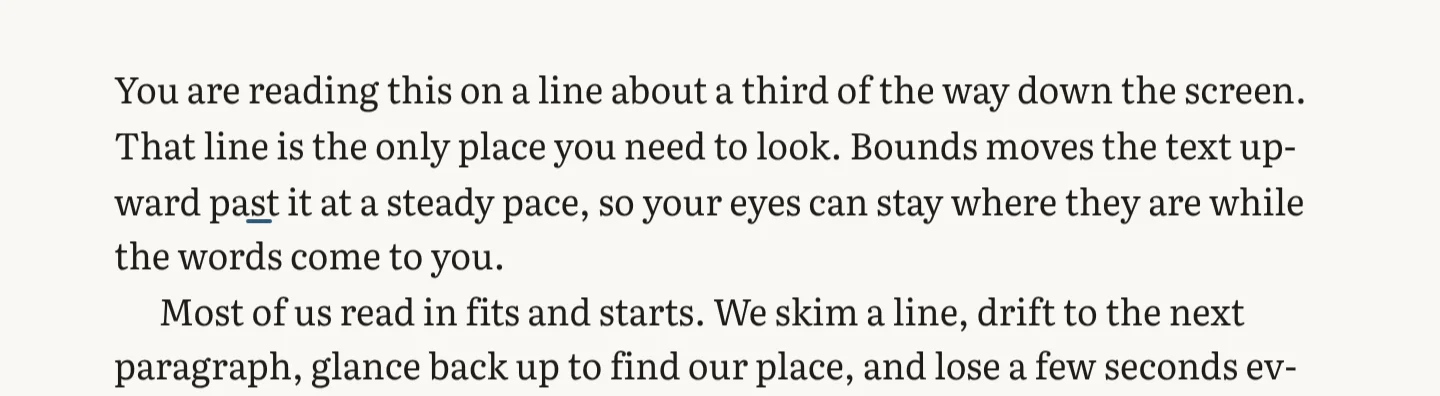
- Bounds leaves the letters alone. Your text appears in an ordinary typeface (Literata or Atkinson Hyperlegible Next), and a focus guide (a sliding underline, a gradient or a band) marks the line to read.
- Bounds sets the pace. The text moves past a fixed reading line at the speed you choose, from 100 to 1,000 words a minute. Bionic Reading’s site describes no pace or scrolling; you read at your own speed.
- Bounds is free to use, and anyone can try it on the front page without an account.
Where Bionic Reading wins
Native apps on five platforms, a Chrome extension, Word files and a Word add-in, Send to Kindle, and fonts that bring its method to e-readers and other apps. Bounds has none of these. If you like how bolded word beginnings look, only Bionic Reading does that.
Bounds has no App Store or Google Play app yet; it is a web app you can add to your home screen.
What the research says
Independent studies have tested whether bolding the start of each word helps. Neither found that it makes reading faster:
- No, Bionic Reading does not work (Joshua Snell, Acta Psychologica, 2024). Readers read 100 paragraphs, each either in Bionic Reading’s format or in normal type. There was no significant difference in reading times, and the author concludes that “Bionic Reading does not facilitate reading”. (From the abstract.)
- To boldly go where no text has gone before: The effects of boldface letters on eye movements in reading (Abigail I. Spear, Rebecca L. Johnson, Hayley Yun, Jane Ashby and Abigail L. Kleinsmith, Attention, Perception, & Psychophysics, 2025). 60 college students read paragraphs with eye tracking, in regular type and with different parts of each word in bold. Bolding the first half of each word, as Bionic Reading does, made reading slower than regular text, with more fixations and fewer skipped words, and did not help comprehension, which was about 93% correct either way. It helped no particular group of readers, and the first letters alone were not enough to recognise whole words.
Bionic Reading’s own study page agrees on speed and argues for comprehension instead. Bounds makes no claim about comprehension: it sets a steady pace, and set faster than you can follow, you understand less. Does speed reading work? goes through what a 2016 review of the research found about reading faster. For apps that flash one word at a time, see Bounds vs. Spritz, Outread and Reedy.
Try Bounds without an account
Anyone can try Bounds on the front page without an account: paste text and it opens in the reader. Accounts, which keep a library and your place, are invite-only for now. Bounds is free to use.
How Bounds works shows the reader and its three focus guides. The reading speed test measures your normal speed, a good place to start.