Bounds vs. teleprompter apps
A teleprompter scrolls text up the screen so you don’t have to, which is why some people try one for reading a book or a long article. CuePrompter, Speakflow and PromptSmart are built for reading a script aloud to a camera; Bounds is built for reading silently, at a speed in words a minute. Here is what each does, where they overlap with Bounds and where each one wins.
By Bug City, the makers of Bounds. Each app checked on its own site on .
How Bounds is different
- Bounds sets its pace in words a minute, from 100 to 1,000, starting at 250, so you know how fast you’re reading. CuePrompter and Speakflow set speed as a number on a slider (1 to 50, and 0 to 10).
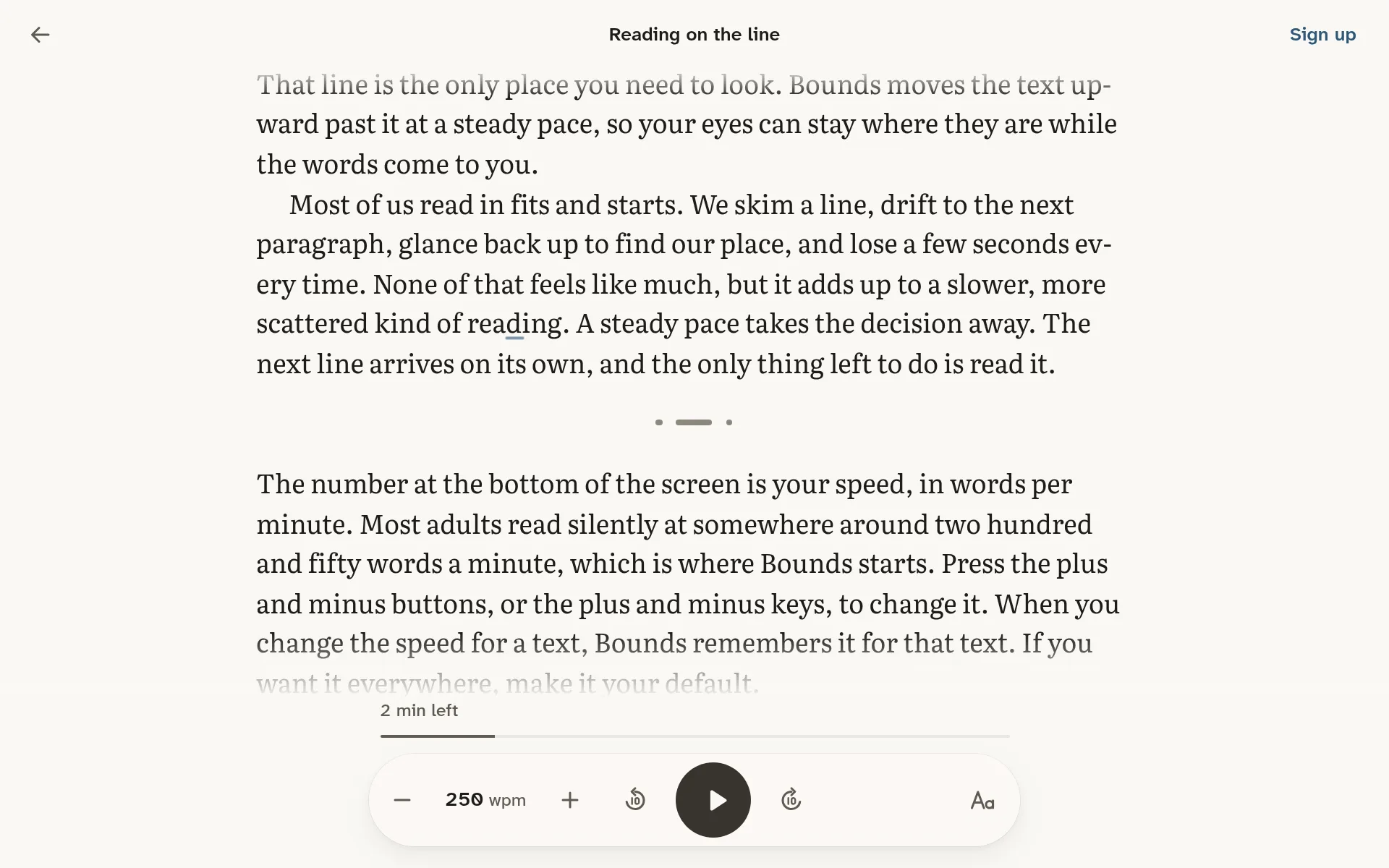
- Bounds is made for reading to yourself, silently, not for reading a script aloud to a camera. It opens books (DRM-free EPUB) and saved web articles as well as pasted text, and remembers each text’s speed and, with an account, the sentence you stopped at.
- Pause with a tap or the space bar, and Bounds backs up a line when you start again; rewind steps back about ten seconds of reading to the start of a sentence.
- A focus guide (a sliding underline, a gradient or a band) marks the line to read as the text moves past a fixed reading line.
CuePrompter
- How it scrolls
- Paste a script and it scrolls up the screen at the speed you set. Speed is a slider from 1 to 50 (10 to start); there are sliders for text size and margin, play and pause on the space bar, and buttons to mirror the text.
- Where it runs
- The browser, on phones, tablets and computers. No app of its own.
- What it opens
- Pasted or typed text.
- Price
- “100% free for both commercial and non-commercial use”, with no account.
- What it says
- “the #1 Free Online Teleprompter”
“No signup, no downloads” - Where it overlaps with Bounds
- The closest of the three: paste text in the browser, with no account, and it scrolls at a steady speed you set, with play and pause on the space bar.
Made by Teleprompter.com, which also makes the Teleprompter.com apps. Sources, read 26 November 2026: cueprompter.com.
Speakflow
- How it scrolls
- Three scroll modes: Flow, the default, listens through your microphone and scrolls as you speak; Auto scrolls “at a constant pace” on a speed slider from 0 to 10; Manual scrolls only when you do.
- Where it runs
- The browser, free iPhone and Android apps, and Mac and Windows apps with a paid plan.
- What it opens
- Scripts you write or paste into its editor.
- Price
- A free plan with unlimited scripts, unlimited Auto scrolling and 10 minutes of Flow a month. Plus is $15 a month, Premium $35 and Studio $89, each billed yearly.
- What it says
- “The teleprompter that follows your voice”
“Say goodbye to umms and ahhhs.” - Where it overlaps with Bounds
- Its Auto mode scrolls your text at a steady pace in the browser, with start and stop on the space bar, a reading line you can move and a progress line, much like Bounds.
Sources, read 26 November 2026: speakflow.com, speakflow.com/pricing, speakflow.com/docs/the-presentation-screen.
PromptSmart
- How it scrolls
- VoiceTrack, its speech recognition, scrolls the script as you speak and “stops when you pause or improvise”, on the device without the internet. It can also scroll at a pre-set speed.
- Where it runs
- iPhone and iPad (PromptSmart+), Android, and a Studio Edition for Windows and Mac, with a web editor and remote control room.
- What it opens
- DOCX, PDF (OCR-scanned first), RTF, TXT and Google Docs, and scripts from Google Drive, Box, OneDrive, iCloud and Dropbox.
- Price
- A 7-day free trial, then a subscription: $9.99 a month or $99.99 a year (Starter Pack) on its site, or PromptSmart+ at $8.99 a month or $79.99 a year in the App Store.
- What it says
- “Patented VoiceTrack technology”
“Fewer Takes” - Where it overlaps with Bounds
- Its pre-set speed scrolls a script at a steady pace, and you can narrow the margins “to reduce side-to-side eye movements”, close to what Bounds’ single reading line is for.
Made by PromptSmart (Belleau Technologies, LLC, by its App Store listing). Sources, read 26 November 2026: promptsmart.com, promptsmart.com/pricing.html, App Store listing.
Where they win
Each of them does something Bounds can’t:
- CuePrompter: Mirrored text for teleprompter glass, larger text (up to 180 pixels), and a video recording button, none of which Bounds has.
- Speakflow: Scrolling that follows your voice, video recording, Mac and Windows apps that float over other windows, scripts shared with a team, and control from another device. Bounds has none of these.
- PromptSmart: Voice-following scrolling that works offline, native apps, Word, PDF and Google Docs files, mirrored text and video recording. Bounds has none of these.
If you’re recording yourself reading a script, a teleprompter is the right tool. Bounds has no App Store or Google Play app yet; it is a web app you can add to your home screen.
Reading aloud is slower than reading silently
A teleprompter’s pace is a speaking pace. Marc Brysbaert’s 2019 review of reading-rate studies found that adults read aloud at about 183 words a minute (77 studies, 5,965 people), against about 238 for non-fiction and 260 for fiction read silently. Voice-following modes like Speakflow’s Flow and PromptSmart’s VoiceTrack only move when you speak, so they keep you at that speaking pace.
Bounds starts at 250 words a minute, close to the silent average, and goes from 100 to 1,000. It doesn’t promise to make you read faster: set it faster than you can follow and you understand less. Average reading speed goes through the review in plain words, and the reading speed test measures your own silent speed. To turn a speed into pages an hour, use the converter on How long to read.
For other ways to pace your reading, see Bounds vs. Spritz, Outread and Reedy, apps that flash one word at a time, and Bounds vs. Speechify, which reads your text aloud.
Try Bounds without an account
Anyone can try Bounds on the front page without an account: paste text and it opens in the reader. Accounts, which keep a library and your place, are invite-only for now. Bounds is free to use.
How Bounds works shows the reader and its three focus guides.
- How many words do we read per minute? A review and meta-analysis of reading rate. Marc Brysbaert. Journal of Memory and Language, December 2019.